Would you hand over your iPhone for repair without saving your data first?
Most people don't think about backups until something goes wrong. A cracked screen repair, battery replacement, or water damage diagnostic can occasionally involve a factory reset or hardware swap that wipes your device. If your data isn't saved beforehand, it's gone.
Whether you're dealing with a shattered screen, a battery that won't hold a charge, or a charging port that stopped working, backing up your iPhone takes less than 30 minutes and protects everything you care about.
This guide is here to make sure you stay prepared, protected, and never lose your important data.

Most repairs go smoothly. A screen gets swapped, a battery gets replaced, and your data stays untouched. But some situations create real risk.
Water damage diagnostics can require testing components that may behave unpredictably. Motherboard-level repairs sometimes need a clean slate. Software failures, boot loops, and activation issues. In those cases, technicians may have no choice but to reset the device.
At Majestik Communications, the first question technicians ask when a phone comes in for water damage or a software issue is whether the customer has a recent backup. It's not a formality; it's the difference between a smooth repair and a stressful one.
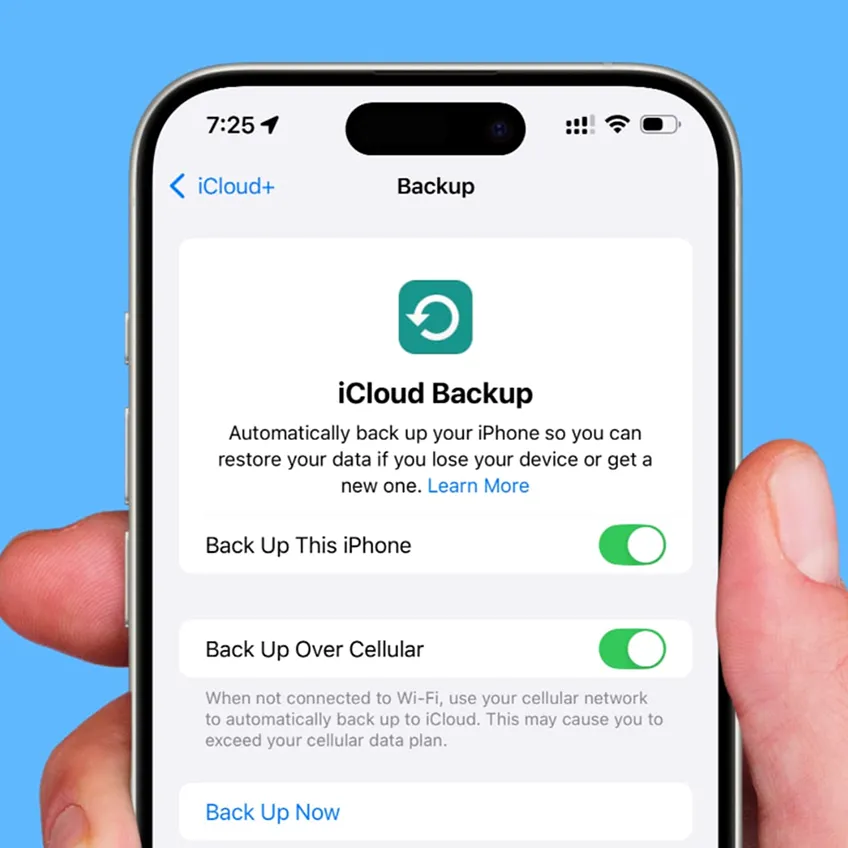
iCloud backup is the simplest option, and the one Majestik Communications most often recommends to customers before any repair. Here's how to do it:


If you’re using macOS Catalina or a later version, Finder now manages iPhone backups instead of iTunes. It’s a reliable solution for users with limited iCloud storage and one that technicians at Majestik Communications frequently help customers set up before bringing their device in for repair.
On Windows, you'll use either the Apple Devices app (available through the Microsoft Store) or iTunes, depending on your setup. Both create a full local backup on your hard drive, no iCloud storage needed, which is why Majestik Communications suggests this route for customers with large photo libraries or limited iCloud plans.
Using the Apple Devices app:
Using iTunes:
Local backups store a full snapshot of your device on your hard drive, which you can restore from at any time.


Once your backup is complete, your iPhone is ready for repair with confidence.
Majestik Communications serves customers across Ontario through its repair locations in Whitby and Lindsay.
Our team handles a wide range of iPhone repairs, including screen replacements, battery replacements, charging port repairs, and water damage diagnostics. Many common repairs are completed the same day, helping customers get back to their routine quickly.
Whether you own a newer iPhone or an older generation device, the technicians at Majestik Communications work with models across multiple generations. If you’ve already completed the backup steps in this guide, the repair process becomes faster from the moment you walk in.
For store hours, contact details, and service information for both the Whitby and Lindsay locations, visit the Majestik Communications website.

Yes. Screen repairs are usually low-risk, but some replacements require calibration or component testing that can affect the device's state.
Some can. Water damage diagnostics, motherboard repairs, and software-related fixes sometimes require a factory reset.
For most users, yes. iCloud backup covers your photos, messages, contacts, app data, and settings. The main limitation is storage; free iCloud accounts cap out at 5 GB. If your backup doesn't fit, a local backup to your Mac or PC is a better option.
It depends on how much data you have. Small backups can finish in under five minutes. Large backups with thousands of photos and videos can take 30 to 60 minutes or longer.
You don't need to delete anything. If the repair requires a reset, your backup has everything covered. Logging out of banking apps and removing your SIM card are reasonable precautions before any drop-off.