

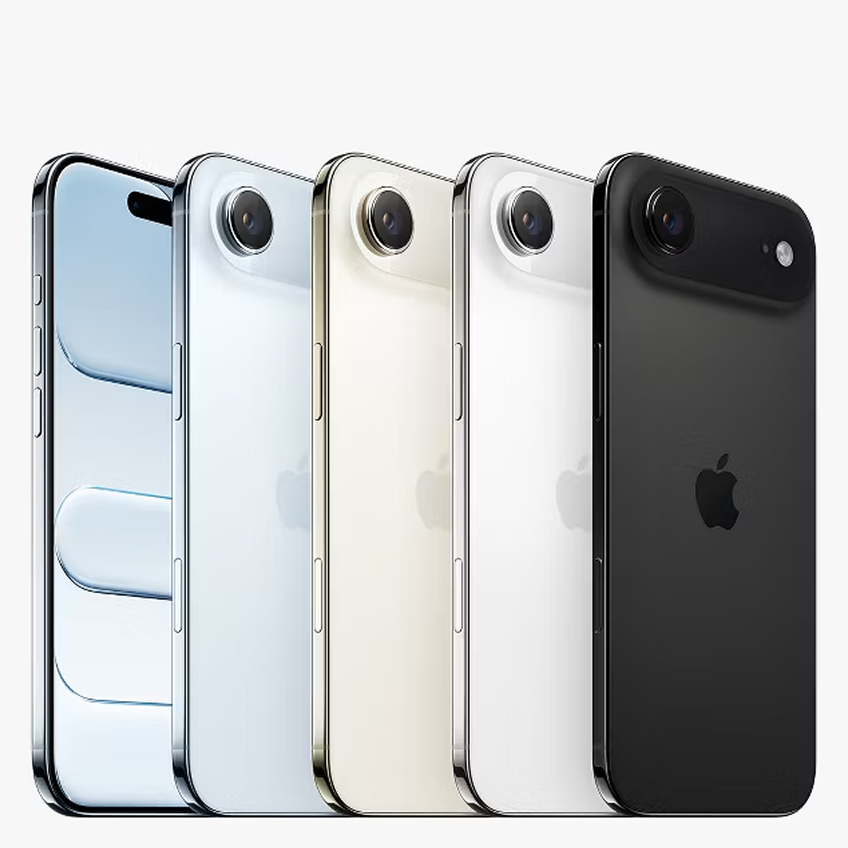
Buying a pre-owned iPhone in 2026 can be a cost-effective option, but it’s important to inspect the device carefully before making a purchase. Whether you’re shopping in Whitby or Lindsay in Ontario, checking the phone’s condition, functionality, and settings can help you avoid unexpected issues after the sale. This guide outlines the key steps to evaluate a used iPhone and make a more informed buying decision.
Whether you’re shopping from a private seller on Facebook Marketplace or comparing refurbished iPhones from an online retailer, every single check in this guide applies.
Why the Used iPhone Market in 2026 Demands Extra Caution
The market for pre-owned Apple devices has expanded significantly. With iPhone 15, 16, and 17 models now circulating in the secondary market, there are more options than ever, and more ways for uninformed buyers to overpay for a compromised device. Sellers with bad intentions rely on buyers skipping the basics. Apple’s own repair policies have also made it easier for internal components to be swapped without obvious visual signs, which means you cannot rely on appearance alone.
Buyers in smaller markets like Lindsay often have fewer options for in-person verification. In larger areas like Whitby, volume is higher but so is the number of listings that misrepresent a device’s true condition. Knowing what to look for protects you regardless of where you buy.
The Physical Inspection Checklist
Before checking anything else, inspect the iPhone’s physical condition. Bring a SIM card and a pair of headphones so you can test key functions before completing the purchase.
Check the Screen
- Turn the brightness up to maximum.
- Look for discoloration, dark spots, flickering, or uneven colors.
- Check for gaps between the screen and frame.
- Run your finger around the edges to ensure the screen sits evenly against the body.
Examine the Frame and Body
- Look for dents, bent corners, or signs of impact.
- Inspect the back glass for cracks or chips.
- Check that the frame is straight and free from warping.
- Gently press each corner to ensure there is no unusual movement or flex.
Test All Buttons
- Press the side button several times.
- Test both volume buttons.
- Toggle the mute switch on and off.
- Confirm each button responds properly and feels consistent.
Check Audio Functions
- Plug in headphones and play audio.
- Confirm sound plays clearly through the headphones.
- Disconnect the headphones and test the speakers.
- Listen for distortion, crackling, or low volume.
Test Network Connectivity
- Insert your SIM card.
- Verify the device detects the SIM card.
- Confirm it connects to a mobile network.
- Make a test call or check mobile data if possible.
Inspect Ports
- Check the charging port for dirt, debris, or damage.
- Test charging with a cable.
- Ensure the connection feels secure and does not disconnect easily.
How to Check for a Fake or Boosted Battery
Battery fraud is one of the most common issues with used iPhones sold privately. Sellers replace a degraded original battery with a third-party cell that reads a falsely high health percentage right after installation, it looks great on paper but degrades rapidly within weeks.
Go to Settings > Battery > Battery Health & Charging. Any genuine used iPhone should show you a battery health percentage. A device with a non-genuine battery displays a message that says “Unable to verify this iPhone has a genuine Apple battery” or simply shows no health data at all. Either of these is a red flag.
Apple introduced parts verification features starting with iPhone 14 and expanded them in subsequent models. On iPhone 15 and later, go to Settings > General > About and scroll to the parts section. If the battery, display, or camera shows “Unknown Part,” the original component has been replaced with a non-Apple part. This directly affects performance and resale value, and the seller must disclose it.
A battery health reading below 80% on any device is a sign it needs immediate replacement, a factor that costs into your negotiation. At Majestik Communications in Whitby, battery replacements are a routine service, so you can price a replacement and use it as leverage before agreeing on a final price.
iCloud Lock: The Scam That Makes a Phone Worthless
An iCloud-locked iPhone is essentially a brick. If a previous owner’s Apple ID is still active on the device, you cannot set it up, use it, or restore it. Sellers sometimes list locked devices at a steep discount and claim they “just need the previous owner’s password”, this is almost never resolved and you should walk away immediately.
To check: turn on the device. If it shows a screen with a large lock icon and asks for an Apple ID and password that you don’t have, the device is activated. Do not buy it under any circumstances.
If the phone does power on normally, go to Settings > [Account Name] > Find My. Confirm that Find My iPhone is turned off and that there is no Apple ID attached before the previous owner signs out in front of you. On the spot. If they resist or claim they’ll “do it later,” treat that as a firm no.
Network Locks and Carrier Restrictions
A locked iPhone only works with one carrier’s SIM. This matters if you’re on a different carrier or plan to switch. Sellers frequently list locked devices as “unlocked”, either through dishonesty or genuine confusion.
Insert your own active SIM card. If it shows “No Service” or “SIM Not Supported” while your SIM works in another phone, the device is locked to a different carrier. You can confirm the lock status by going to Settings > General > About and looking for a “Carrier Lock” entry. It should read “No SIM restrictions.”
Getting a carrier unlocked through Apple or a carrier can take time and may not always be possible, especially for older models still under contract.
Snapchat Bans and App-Level Restrictions
This one catches buyers off guard. Some iPhones have been flagged or banned by Snapchat at the device level due to prior policy violations. A Snapchat ban is tied to the device hardware identifier, not the account, which means even a fresh account on that phone will immediately receive a permanent ban.
Download and open Snapchat before completing any purchase. Create a test account or log in to an existing one. If it bans you within seconds of logging in, walk away from the device.
Other app-level issues include MDM (Mobile Device Management) profiles, which employers or schools install to monitor and control devices. If the previous owner was an employee who used a work iPhone, the company’s MDM profile may still be active. Check under Settings > General > VPN & Device Management. If a profile appears that the seller cannot remove, the device is not truly personal-use ready.
Verifying Internal Components Haven’t Been Swapped
Third-party repair shops sometimes replace internal parts, cameras, screens, Face ID modules, with non-genuine components that affect both performance and security. Apple’s parts pairing system flags these, but sellers can obscure the issue by resetting the device before showing it to you.
On iPhone 12 and later, navigate to Settings > General > About and scroll through the components list. Genuine Apple parts show as “Genuine Apple Part.” Any component showing “Unknown Part” or a third-party label means the original has been replaced.
Pay particular attention to the Face ID module. If it’s been replaced with a non-Apple part, Face ID may stop functioning entirely after an iOS update. This is not a cosmetic issue, it affects the core security and usability of the device.
Always Demand a Receipt and a Warranty
No receipt means no proof of ownership. In Ontario, buying a phone without documentation exposes you to the risk that the device is reported stolen. If it’s flagged in the IMEI database, your carrier can block the device from the network entirely, leaving you with nothing.
Check the IMEI before you hand over any money. Dial *#06# on the device to retrieve the IMEI number, then run it through a free IMEI checker. This tells you whether the device has been reported stolen or blacklisted by a carrier.
When you buy refurbished iPhones from a reputable local source like Majestik Communications, this documentation comes standard. Devices go through a thorough inspection process, you receive a receipt at point of sale, and our team stands behind what we sell. That accountability simply doesn’t exist when you buy from a stranger online.
Where to Buy Used iPhones in Whitby and Lindsay Safely
Private sales carry real risk regardless of how confident a seller sounds. The checks above help you protect yourself, but nothing substitutes for buying from a trusted local source that has already done the work for you.
Majestik Communications, based in Whitby, stocks inspected used iPhones and carries accessories, cases, and charging equipment alongside their devices. Our team also handles iPhone repairs, which means that if you buy a device and later run into an issue, you have a local resource in Durham Region to turn to. For buyers in Lindsay and the surrounding Kawartha Lakes area, having a reliable contact in Whitby is a meaningful advantage when something goes wrong with a device.
FAQs
Q: Where can I buy a used iPhone in Whitby with a warranty?
Majestik Communications on Whitby carries inspected used iPhones and provides documentation at point of sale. For buyers who want accountability and a local contact, this is a stronger option than private listings on Marketplace.
Q: Is it safe to buy a refurbished iPhone in Lindsay, Ontario?
It depends entirely on the source. Buying from a private seller in Lindsay without running the physical and software checks in this guide carries real risk. If you want a verified device, sourcing from a reputable local retailer, even if that means a short drive to Whitby, significantly reduces your exposure.
Q: How do I check if an iPhone is stolen before buying it in Canada?
Dial *#06# on the device to get the IMEI, then run it through a free IMEI checker such as IMEI.info or Swappa’s IMEI checker. These tools cross-reference Canadian carrier blacklists and Apple’s activation database.
Q: What’s the difference between a used iPhone and a refurbished iPhone?
A used iPhone is sold as-is from a previous owner, with no standardized testing. A refurbished iPhone has gone through some level of inspection, testing, and potentially component replacement by a retailer or technician.
Q: Can I get an iPhone battery replaced in Whitby?
Yes. Majestik Communications handles battery replacements as part of their repair services. If you buy a used iPhone with degraded battery health, getting it replaced locally is straightforward.
Q: What should I do if I accidentally bought an iCloud-locked iPhone?
Contact Apple Support with proof of purchase if you have it. Without documentation linking you to the original purchase, iCloud locks are essentially permanent. This is the single most important reason to demand a receipt and verify the activation status before you pay.
Q: Do used iPhones in Canada work with all carriers?
Not always. Always insert your own SIM and confirm the device shows your carrier’s network before completing the purchase. Carrier-locked devices are only compatible with one provider and require an unlock before you can switch.